
Do live-streamed events need real-time AI captions? A multilingual solution for online and on-site audiences.
Online viewers of a live stream cannot see the on-stage screen, so real-time captions are how they follow along. This piece explains how to plan stream captions, choose a platform and integrate the tech.
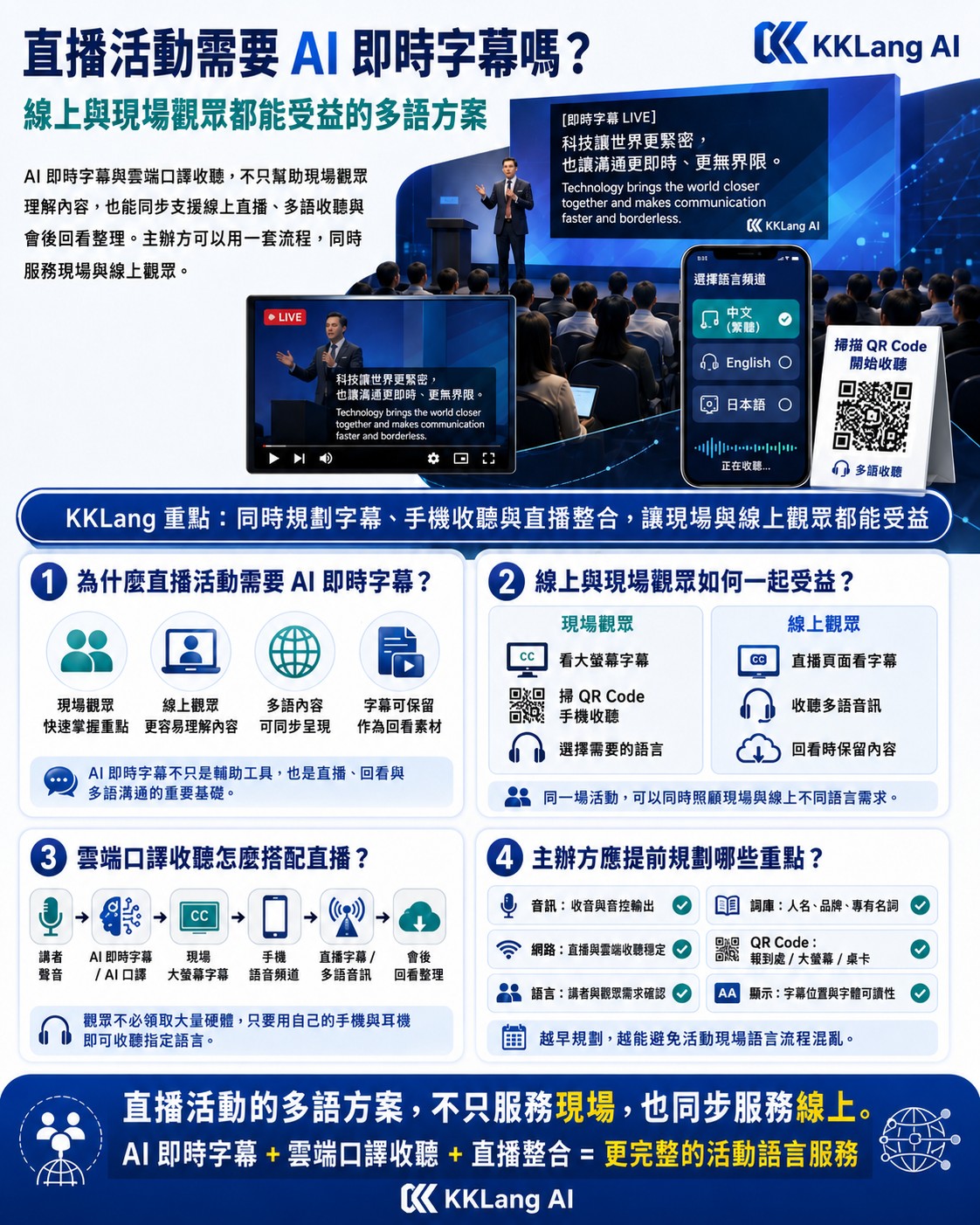
Why live-streamed events especially need real-time captions
Online viewers and on-site attendees of a live stream are in completely different reception environments. On-site attendees can see captions on the big screen, hear the room audio and feel the atmosphere; online viewers only receive through their screen and earphones, and without captions their comprehension of foreign-language content drops sharply.
The more practical reason is the algorithm. Streaming platforms like YouTube, Facebook and LinkedIn prioritize recommending content that has captions, because captions lift watch-through rate and engagement. Streamed content without captions sees average watch time 20-40% lower.
There is also compliance. Accessibility laws in many countries (for example the ADA in the United States and the EU accessibility directive) require public streamed content to provide captions. Even for internal corporate streams, captions help hearing-impaired employees or non-native speakers follow along.
Choosing a platform for stream captions
Different streaming platforms support captions to different degrees. YouTube Live supports both auto-generated and manually uploaded caption tracks and has the best compatibility. Facebook Live supports closed captions but needs a third-party tool to push them. LinkedIn Live has more limited caption support. Enterprise streaming platforms (such as Vimeo and Panopto) usually offer full caption-track management.
When choosing a platform, consider: whether it supports multilingual caption tracks (Chinese, English, Japanese), caption latency (ideally under 3 seconds), whether captions are searchable and retrievable after the event, and whether they display correctly on mobile.
Technical integration of AI captions
There are two technical paths for sending AI captions into a stream. The first is "burned-in," overlaying captions directly onto the video feed; the upside is universal compatibility across platforms, the downside is that they cannot be turned off or switched between languages. The second is "caption-track push," sending captions as an independent track via the platform's caption API; the upside is that viewers can toggle them on and off and switch languages, the downside is more complex setup.
Most AI interpretation providers support both modes. Before the event, the provider, the streaming team and the organizer should jointly confirm the technical specs: caption format (commonly WebVTT or SRT), push method (HTTP POST or WebSocket), latency tolerance, and the backup plan (if the AI push drops out, whether to switch to a backup caption source).
Caption strategy for hybrid meetings
Caption strategy for a hybrid meeting (on-site plus online) needs to serve both audiences. A recommended setup: the on-site big screen shows captions in the primary language (for example Chinese), the stream feed also shows the primary-language captions, and a secondary language option (for example English) is offered via a caption track for international online viewers to choose.
Cloud interpretation listening mainly serves on-site attendees (online viewers cannot scan the on-site QR Code). If you also want online viewers to hear multilingual audio, you can output the interpretation audio as a multi-track stream, or provide a separate online listening link (which needs its own licensing and capacity planning).
Frequently asked questions
How low can stream caption latency go?
It depends on the technical architecture. Burned-in captions usually land at 2-4 seconds; caption-track push at 3-6 seconds. For speeches and forums this delay is barely noticeable; for synchronized performance or real-time interaction you may need a more specialized low-latency solution.
Are captions kept after the stream ends?
Most platforms keep the stream captions as a permanent caption track on the video, so viewers can still turn them on when watching the replay. We recommend downloading the full caption file (SRT or VTT) after the stream as a backup, for later editing, translation or knowledge-base use.
Can you output multilingual captions at the same time?
Yes, but the platform must support multiple caption tracks. YouTube supports simultaneous multilingual captions (viewers can switch), while Facebook and LinkedIn support is more limited. Enterprise self-built platforms usually support full multilingual switching. When planning, confirm the maximum number of caption tracks on the target platform.